How AI Is Simplifying Podcast Editing for Content Creators
Podcasting gives creators, businesses, and industry experts a way to share knowledge and connect with audiences. Whether it is an interview, educational discussion, or business conversation, a good podcast can keep listeners engaged and encourage meaningful conversations.
However, producing a podcast involves more than recording an episode. Creators must remove unwanted sections, improve audio, organize conversations, and prepare the final recording. Video podcasts also require camera switching, captions, and visual adjustments.
AI podcast editing tools are making these tasks easier. They help creators prepare rough cuts, improve audio quality, and turn longer recordings into content for different platforms. This allows podcasters to spend more time on their ideas and less time handling repetitive editing work.
What Is AI Podcast Editing?
AI podcast editing uses artificial intelligence to help edit recorded audio and video. It can identify unwanted pauses, remove filler words, improve sound, and arrange podcast segments.
Some tools also synchronize camera angles, generate captions, and create short clips from longer episodes.
Instead of making every adjustment manually, creators can describe what they want and review the suggested edits. This helps simplify podcast production while keeping control over the final episode.
How Is AI Simplifying Podcast Editing?
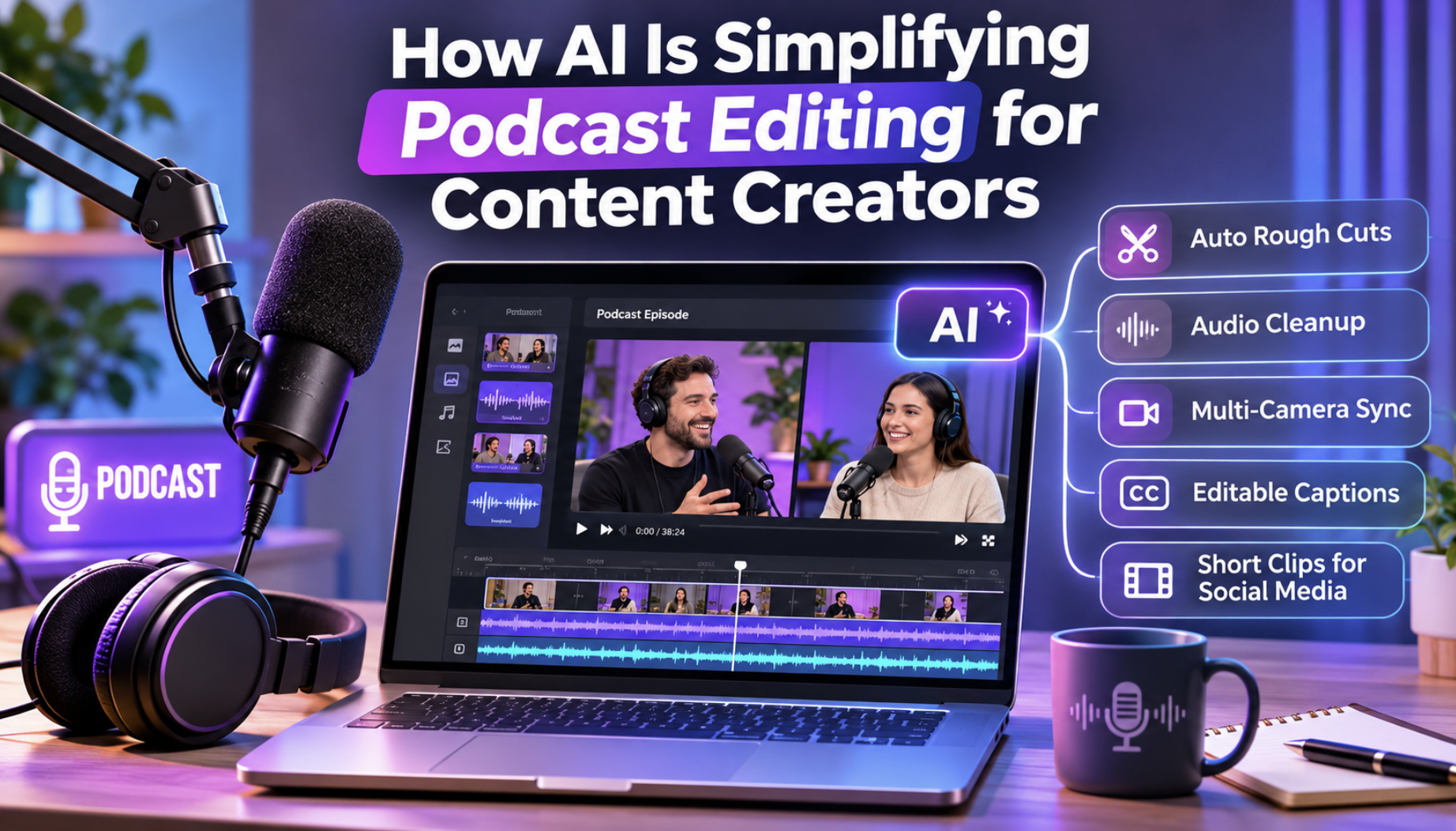
AI supports different stages of post-production, from cleaning recordings to preparing videos for social media.
1. Removing Filler Words and Long Pauses
Podcast recordings often contain repeated sentences, false starts, and long pauses. Finding these sections manually can take time.
AI tools can help identify and remove unnecessary parts, making conversations easier to follow.
However, not every pause should be removed. Creators should preserve moments that add emotion or meaning to the discussion.
2. Improving Audio Quality
Background noise, echo, and uneven microphone levels can affect the listening experience.
AI audio tools can reduce unwanted sounds, improve voice clarity, and balance speaker volumes. This is particularly helpful for remote interviews where participants use different microphones.
3. Preparing Rough Cuts
A rough cut is the first organized version of a podcast episode.
AI tools can arrange recorded segments, remove unnecessary sections, and prepare an initial edit based on instructions.
Digital Success discusses similar developments in its article about AI agents in video editing and content creation, including how agents can help simplify repetitive production tasks.
4. Managing Video Podcasts
Video podcasts often involve multiple cameras recording different participants.
AI can help synchronize recordings, switch between speakers, and prepare a basic video sequence.
Creators can then adjust the camera angles, add captions, and improve the visual presentation.
5. Repurposing Podcast Episodes
A single podcast episode may contain several useful moments for social media.
AI tools can help identify interesting discussions and prepare shorter clips for YouTube Shorts, Instagram Reels, and TikTok.
This allows creators to promote their episodes and reach people who prefer shorter videos.
Best AI Tools for Podcast Editing
Several platforms provide AI-assisted editing features. Each offers a different approach to preparing and improving podcast episodes.
1. Invideo Editor
Invideo Editor combines a professional multitrack timeline with AI agents that assist with podcast editing. Its Podcast Editor supports audio-only and video podcasts, helping creators prepare rough cuts, synchronize cameras, improve voices, and create social media clips.
Creators can upload podcast recordings and individual microphone tracks without a stated footage limit per project. They can then describe the desired edit or share an episode outline. The AI agent arranges segments into an editable first cut without requiring a complete script.
For multicamera podcasts, the agent matches dialogue across recordings, aligns each camera with the selected audio source, and switches between speakers. Creators can specify which conversations to keep or remove and adjust every cut on the timeline.
Audio tools include voice isolation, noise reduction, automatic volume leveling, music ducking, and loudness metering. The editor also supports captions, speaker titles, topic cards, automatic chapter markers, and dubbing into more than 50 languages with synchronized lip movements.
For visual improvements, creators can match colors across cameras using color wheels, curves, LUTs, and scopes. They can also animate titles and camera movements with keyframes or add stock footage and AI-generated B-roll.
The platform supports scriptwriting, storyboarding, real-time collaboration, custom AI agents, and invideo MCP connections with compatible AI assistants. Clients can review episodes through browser links and leave frame-specific comments.
Creators can export audio in WAV, AAC, or Opus or transfer editable projects to Premiere Pro, Final Cut Pro, and DaVinci Resolve. The editor works online across supported devices without installation. Manual editing and exporting are free, while AI agent tasks use credits.
2. Descript
Descript is an AI-powered audio and video editing platform that allows creators to edit podcasts through written transcripts.
After importing a recording, Descript generates a transcript linked to the audio or video. Users can delete sentences, rearrange dialogue, and remove unwanted sections by editing the text.
The platform provides automatic filler-word removal, retake removal, and Studio Sound for reducing background noise and improving voice clarity.
Its AI assistant, Underlord, helps with editing tasks, content preparation, and creating clips from longer recordings.
Descript also offers automatic multicamera editing, captions, screen recording, and visual layouts. These features support video podcasts, interviews, and educational discussions.
Creators can record remote conversations with Descript Rooms and work with multiple audio tracks during editing.
The platform also supports show notes, transcripts, and short-form promotional content. Teams can review projects together and make changes within a shared workspace.
Descript is particularly useful for podcasters who prefer editing conversations through text rather than working entirely with traditional audio timelines.
3. Riverside
Riverside combines podcast recording with AI-assisted audio and video editing.
Creators can record interviews remotely or upload existing recordings. The platform supports separate audio and video tracks for participants, giving editors more control over individual speakers.
Its transcript-based editing feature allows users to remove dialogue by deleting the corresponding words. Creators can also trim, split, and arrange recordings through the timeline.
Riverside provides AI tools for removing filler words, reducing background noise, and improving audio levels.
For video podcasts, users can adjust layouts, add captions, include logos, and apply backgrounds or visual overlays.
The platform also supports introductory sequences, background music, and other elements that help prepare episodes for publishing.
AI-assisted features can identify interesting moments and create shorter clips from longer conversations. Automatic chapters, transcripts, episode summaries, and suggested titles help creators prepare supporting content.
Riverside also offers Spotify publishing integration.
Its combination of recording, editing, and publishing features makes it useful for creators who want to manage several stages of podcast production within one platform.
How to Build a Faster Podcast Editing Workflow
A clear workflow can help creators maintain consistent quality while reducing manual work.
Step 1: Organize the Recordings
Keep microphone tracks, camera recordings, music, and supporting materials in separate folders. Give files clear names so they are easy to locate.
Step 2: Prepare the Rough Cut
Import the recordings and identify unnecessary sections. Remove unwanted pauses, repeated sentences, and mistakes while keeping the conversation natural.
Step 3: Improve Audio and Visuals
Reduce background noise, balance speaker volumes, and adjust camera angles. Add captions, speaker titles, or supporting visuals where necessary.
Step 4: Create Promotional Clips
Choose interesting moments that can work as standalone videos. Add captions and prepare suitable formats for different platforms.
This approach supports wider content marketing efforts. Digital Success explores related opportunities in its article about AI video creation for small businesses.
Step 5: Review and Publish
Listen to the finished episode and check for awkward cuts, incorrect captions, and audio problems before exporting.
Best Practices for AI Podcast Editing
AI can make production easier, but maintaining quality still requires careful decisions.
- Keep conversations natural: Preserve pauses that add meaning to the discussion.
- Review automated changes: Check that important statements remain intact.
- Prioritize clear audio: Make sure listeners can understand every speaker.
- Maintain consistent branding: Use similar captions, titles, and visual styles across episodes.
- Check promotional clips: Ensure short clips reflect the original conversation.
Conclusion
AI is helping content creators simplify podcast editing by reducing repetitive tasks and improving production workflows.
Tools such as invideo, Descript, and Riverside support different editing needs, including audio cleanup, rough cuts, multicamera editing, and social media content.
By combining AI assistance with careful review, creators can produce polished podcasts while spending less time on post-production.
Frequently Asked Questions
1. What is an AI podcast editor?
An AI podcast editor uses artificial intelligence to help improve recorded audio and video. It can assist with removing pauses, cleaning voices, arranging recordings, and generating captions.
2. Can AI edit a complete podcast episode?
Yes. Some AI tools can prepare an initial edit, remove unwanted sections, synchronize cameras, and improve audio. Creators should still review the results before publishing.
3. Can AI improve poor podcast audio?
AI tools can reduce background noise, balance speaker volumes, and improve voice clarity. However, severely distorted recordings may still require additional editing or re-recording.
4. Can AI turn long podcasts into short social media videos?
Yes. AI editing tools can help identify useful moments, create shorter clips, add captions, and prepare videos for YouTube Shorts, Instagram Reels, and TikTok.